If they go missing, you are already prepared.

Prepare a lost or stolen case, choose public information and organise available sightings without promising automatic location tracking.

A dog and their person at home

A recent photo, reliable description and last-known information: preparing them beforehand can save searching for details during a disappearance. PetStorya keeps case information and leads together.

It does not guarantee finding your pet, transmit a live position or replace relevant local services.
Prepare a free profile

A person checking their phone while searching

Start from facts you can retrieve

Helpers may share different times or pictures. A common reference distinguishes known facts from guesses and lets you choose the visitor information. You remain responsible for local action and checking leads.
Three steps to organise the case

  1. Open the appropriate case. For an eligible living animal, choose lost or stolen using known facts.
  2. Prepare the presentation. Record message, last date, area or location and check publication permissions.
  3. Follow and close. Review available sightings in context, then resolve or cancel when circumstances change.

One active case, coherent information

The mode allows one active case per animal. A last-known location is entered information, not a current GPS position. Keep approximate or uncertain observations clearly identified.

The authorised public profile and case presentation do not publish the entire private file. Review them as new information arrives.

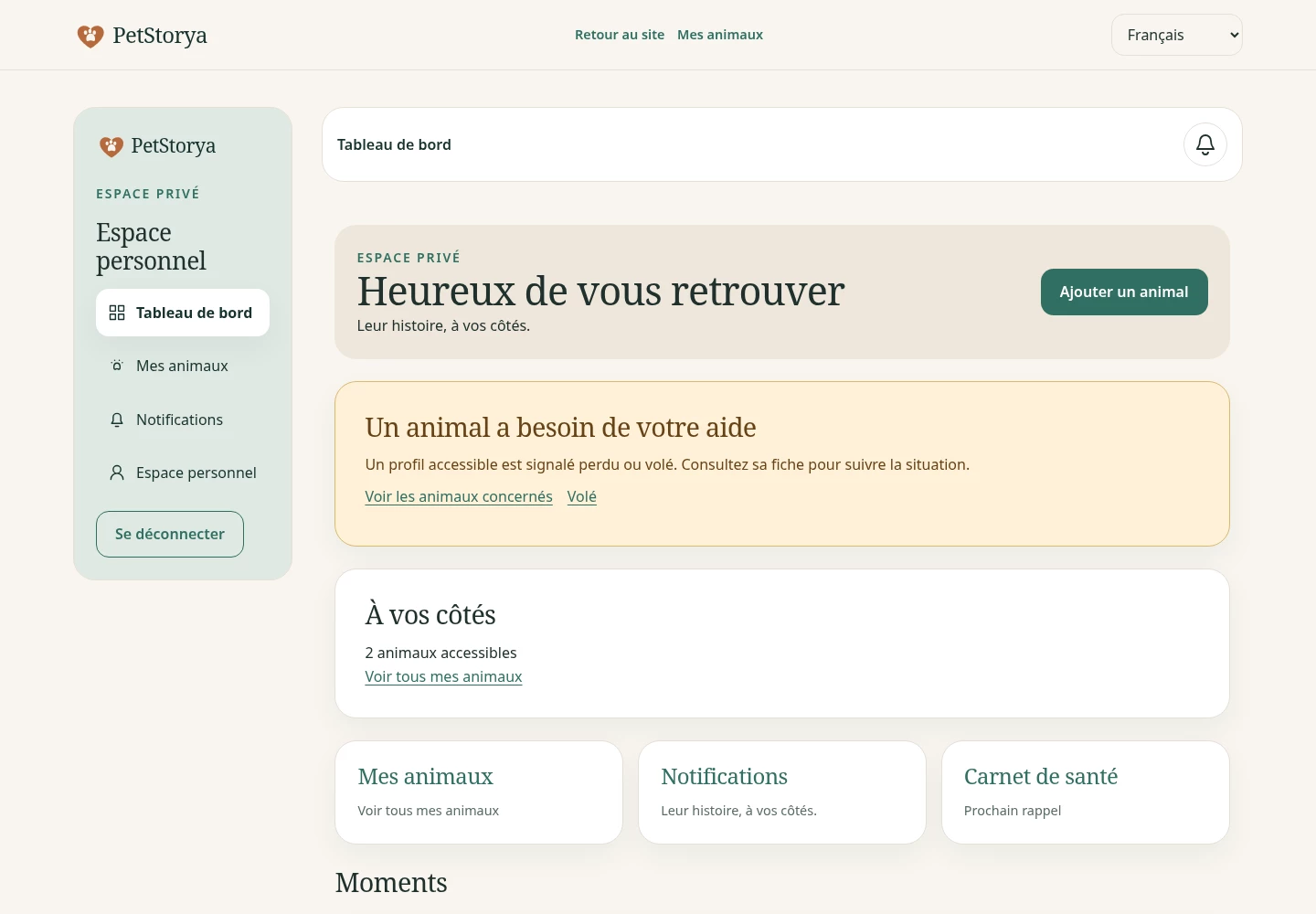
PetStorya screenshot: dashboard
Illustrative example with fictional Milo and Nala data.

Sightings linked to the right case

When enabled, witnesses can send sightings for your private review. They are not automatically verified observations, and the application does not identify your pet through image analysis.

A map of public references, not a route

The public lost list and map require their features to be enabled; graphical rendering also needs map configuration. Public positions use a grid rather than exact entered coordinates. They do not follow animal movements.

Witness sightings stay in private review and do not appear on the public map. Relayed contact also depends on its feature and does not automatically expose account contacts.

QR and emergency tools complement the case

The pet QR opens an authorised presentation without bypassing a private profile or summoning help.

The emergency card is opt-in, with explicitly entered contacts and selected minimal information. It has a separate link and QR, does not publish the complete health file or copy account contacts, and follows public eligibility conditions.

Frequently asked questions

Does PetStorya find my pet by itself?

No. It organises information; searches and local procedures remain separate.

Is the map always available?

No. Public profiles, lost list/map and graphical rendering depend on activation and configuration.

Does the health notebook become public?

No. Minimal emergency information follows a separate explicit choice.

How do I close a search?

Resolve or cancel the case, update external announcements and notify previous contacts. PetStorya does not do this on every external channel.

Prepare now for information you may need later

Start with a clear description and current portrait. Free includes essential features; paid plans mainly provide more household capacity.

Create my pet鈥檚 profile Explore the QR

Start for free