A small QR. The right information at the right moment.

Prepare a QR for your pet鈥檚 tag, control the accessible profile and renew the code when needed. No GPS or automatic publication.

A dog and their person at home

Add the PetStorya QR to a tag or suitable support. Someone scanning it can open the profile you have chosen to make available, with a recognisable photo and authorised information on a compatible phone.
Prepare a free QR

A QR tag on a dog鈥檚 collar

Useful details should not stay only on your phone

Someone meeting your pet cannot see your messages or gallery. A QR opens a prepared presentation without giving access to your account. Its value lies in the chosen information.

It is not GPS, tracking or a guarantee of finding a pet. It complements your supports and local steps without replacing official identification.
Three steps from profile to support

  1. Prepare the presentation. Add useful details and choose compatible visibility.
  2. Download the active QR. The SVG download helps create a clear support; tag production is your choice.
  3. Scan the finished support. Check readability and what a signed-out visitor actually sees.

A pet code with a controlled destination

The QR uses an opaque link associated with your animal, rather than simply displaying an account number or private information. Test the physical support, particularly if printing makes the code small or distorted.

Your owner session shows more than a visitor can access. Check without signing in to review the destination, visible text and publication settings.

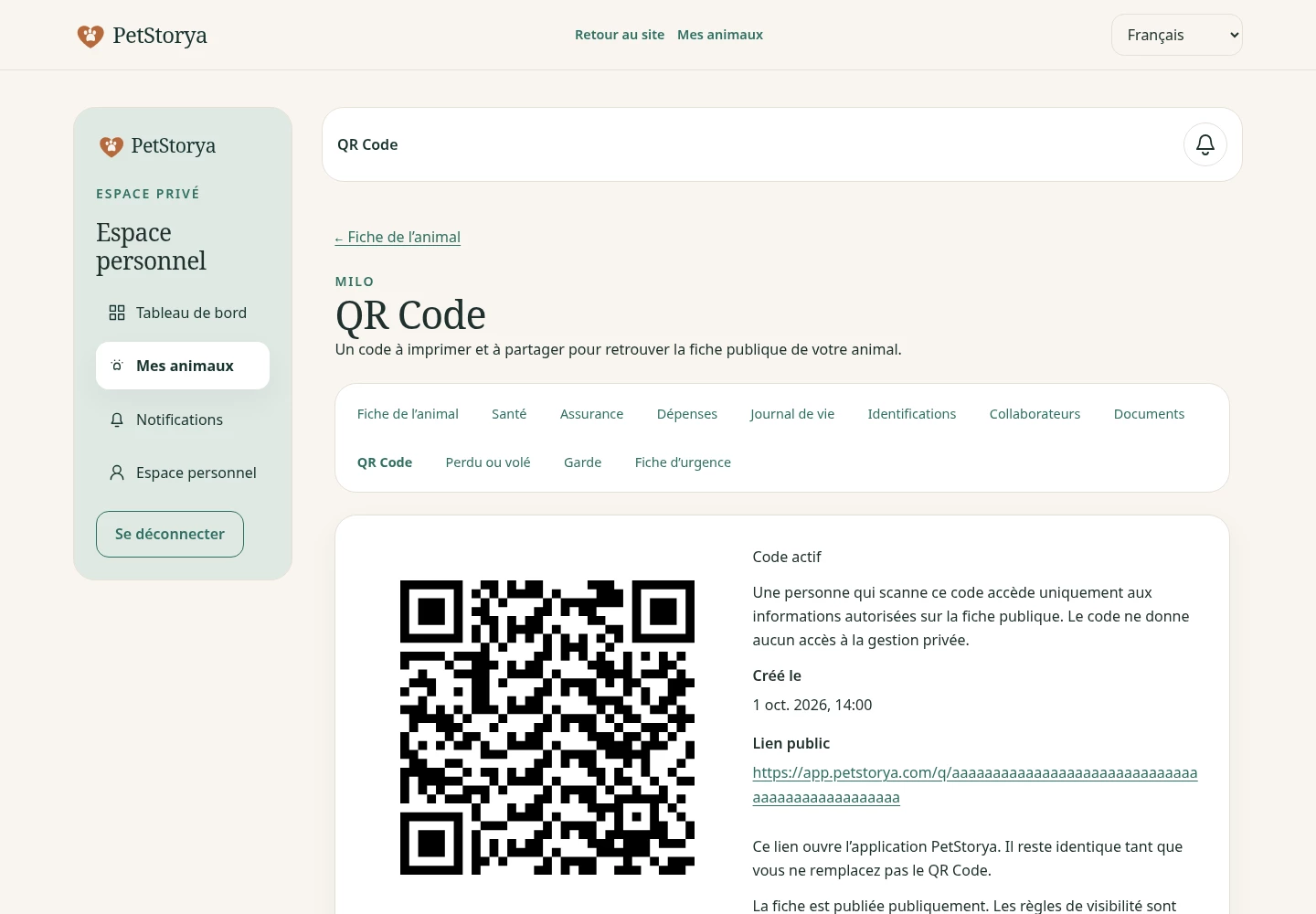
PetStorya screenshot: QR screen
Illustrative example with fictional Milo and Nala data.

Review the destination over time. An old portrait or outdated contact choice can make a perfectly readable QR less useful. The code provides access; you remain in control of the presentation.

Privacy survives a scan

A private profile remains inaccessible. Unlisted presentations may be available through an authorised link without a directory listing. Public profiles may be discoverable through enabled features. Publication conditions still apply.

Owner contacts, private documents and complete health records are not published automatically. Lost and emergency contacts require explicit choices. Unlisted links can be forwarded.

Renew the code to regain control

Rotation immediately disables the previous QR and creates a new active code. Replace old tags and prints: they do not automatically redirect to the new one.

The emergency card has separate opt-in access and a dedicated QR with selected minimal information. It does not publish the whole health file or summon help. Lost or stolen mode complements preparation with case information and available features.

Frequently asked questions

Is it a location beacon?

No. It opens an authorised presentation when scanned and does not transmit movement.

Can I use it with Free?

Yes. It is an essential feature; paid plans provide additional capacity.

What happens after renewal?

The old code stops working. Replace existing supports with the new code.

Are my phone and email published automatically?

No. Public contacts require explicit choices. Check the visitor presentation.

Prepare before you need it

Start with a current portrait and clear description, choose visibility and test the QR.

Create a free profile and QR Compare plans

Start for free